Thank you for choosing Bristol Campgrounds for your Bristol Experience!

To begin. Click the RESERVATION button in the menu of our website.


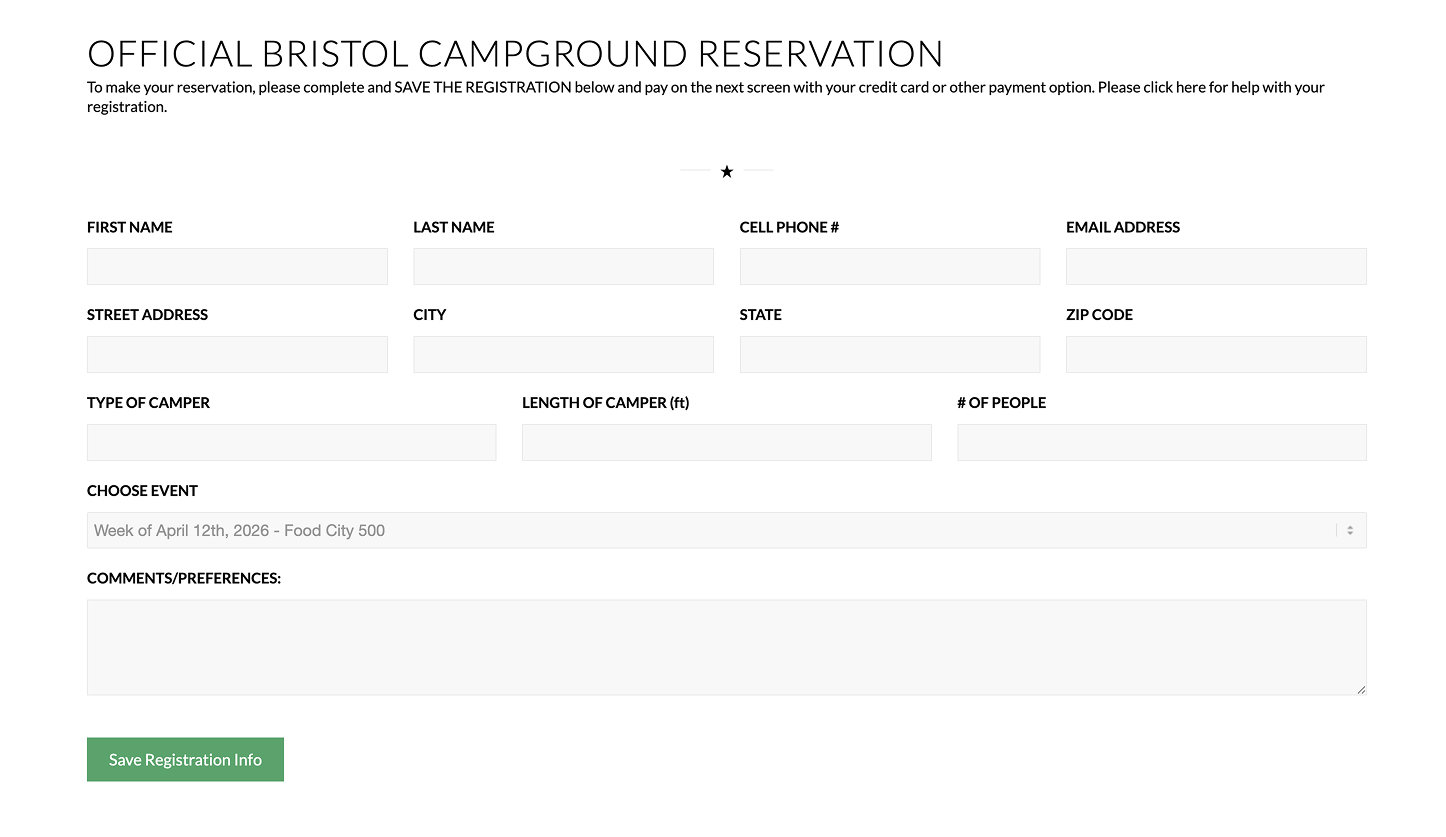
Once you are on the Reservation Form (shown below), enter the information for your reservation and press the SAVE REGISTRATION button. This will save your information and then present a screen to show your options at Bristol Campground.

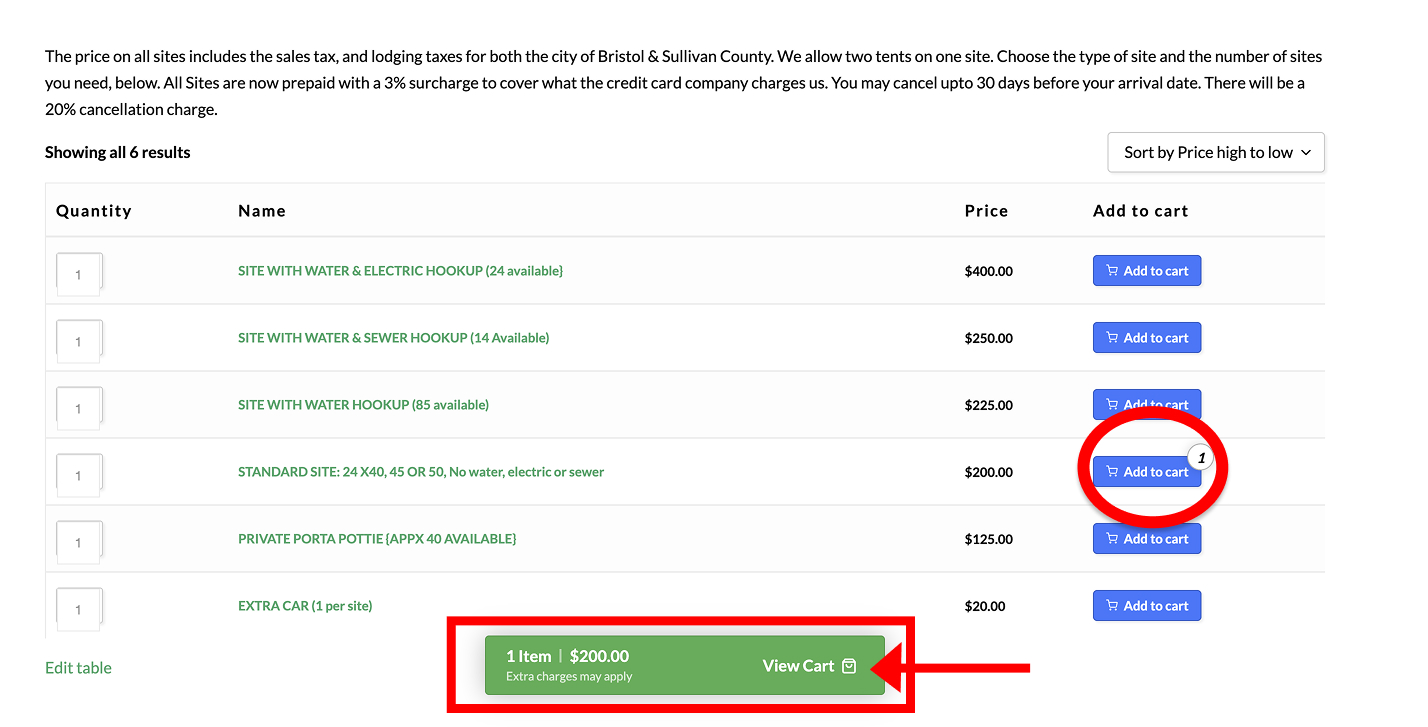
After you save your REGISTRATION settings, you can choose the options at our campground. Choose from the selections provided and CLICK ADD TO CART. When you click the link, the button will show you cart and also show a CART TOTAL at the bottom of your screen. When complete, press

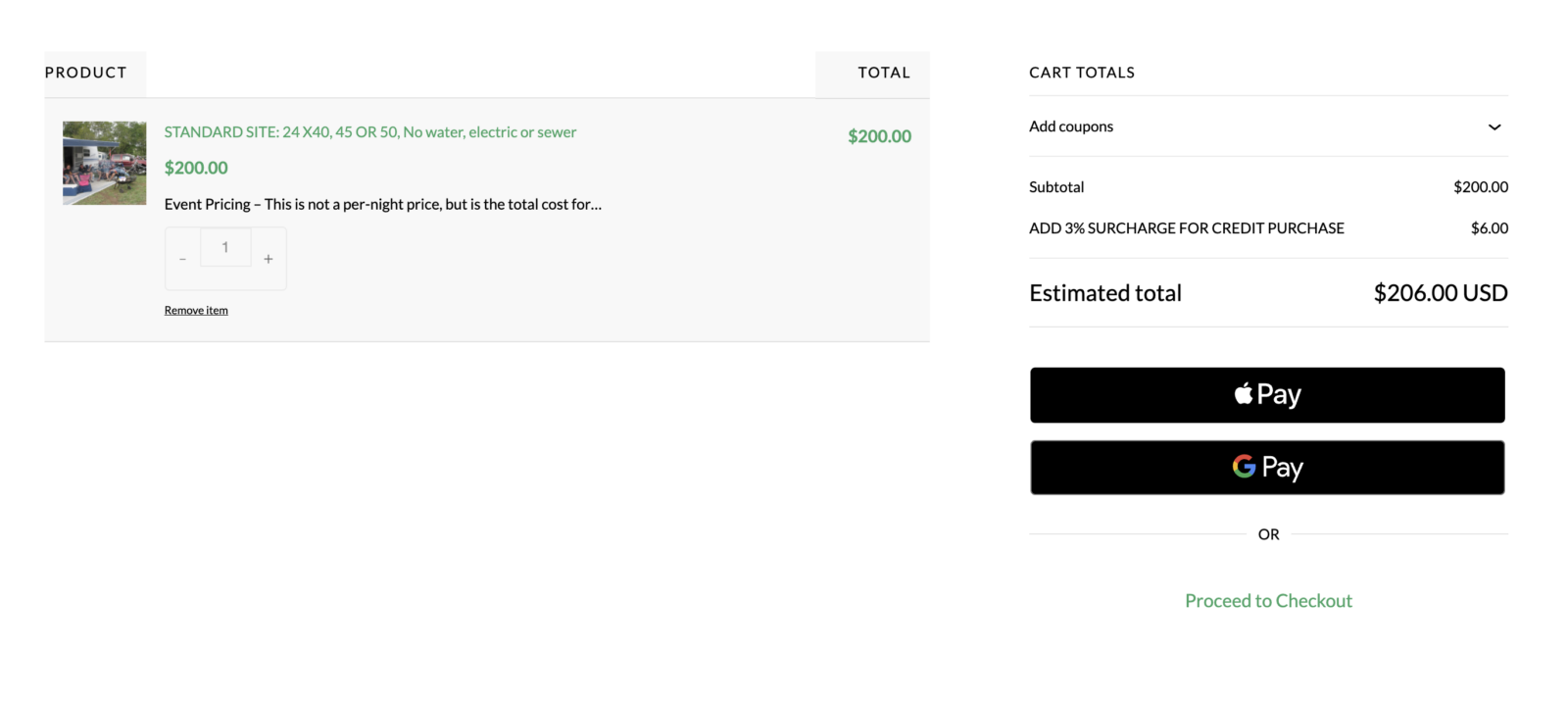
After you click VIEW CART, you will be presented with a review of your order. Bristol Campgrounds charge a 3% charge to cover Credit Card expense. From here, you can also select your method of payment.
FOR EXPRESS MOBILE PAYMENTS using your Apple or Google Device – Click the Apple or Google Icon
FOR CREDIT CARD PAYMENTS using the following:
• MasterCard
• VISA
• AMEX
• Discover
• PayPal
• Venue